kafka-integration
Real-time Data Ingestion with Kafka
This example demonstrates how to ingest real-time flight data from Apache Kafka into Pinot tables. You'll create two tables (JSON and Avro formats), stream sample data, and verify segments are backed up to S3 DeepStore.
What you'll learn:
- Deploy Kafka using Strimzi operator
- Create Kafka topics for Pinot ingestion
- Configure real-time Pinot tables with S3 DeepStore
- Stream sample flight data and query it
- Verify segment uploads to S3
Sample data: ~19,000 flight records with details like carrier, origin, destination, delays, etc.
Kafka Integration
Deploy Apache Kafka for Streaming Data
Apache Pinot can ingest data from streaming data sources (real-time) as well as batch data sources (offline). In this example, we will leverage Apache Kafka to push real-time data to a topic.
If you already have Apache Kafka running in your EKS cluster or you are leveraging Amazon Managed Streaming for Apache Kafka (MSK) you can skip this step. Otherwise, follow the steps below to install Kafka in your EKS cluster using the Strimzi Kafka operator.
The following deployment configures Kafka Brokers with PLAINTEXT listeners for simplified deployment. Modify the configuration for production deployment with proper security settings.
Deploy Kafka Cluster
Create a Kafka cluster using the Strimzi Kafka operator:
kubectl apply -f ../../kafka-on-eks/kafka-cluster/kafka-cluster.yaml
Wait for the cluster to be ready:
kubectl get kafka -n kafka
Expected output:
NAME          READY   METADATA STATE   WARNINGS
data-on-eks   True    KRaft            True
Create Kafka Topics
Create two Kafka topics that Pinot will connect to and read data from:
kubectl apply -f examples/quickstart-topics.yaml -n kafka
Verify the topics were created:
kubectl get kafkatopic -n kafka
Expected output:
NAME                    CLUSTER       PARTITIONS   REPLICATION FACTOR   READY
flights-realtime        data-on-eks   1            1                    True
flights-realtime-avro   data-on-eks   1            1                    True
Ingest Sample Data
The quickstart job will:
- Create two real-time tables in Pinot:
airlineStats- Ingests JSON-formatted flight dataairlineStatsAvro- Ingests Avro-formatted flight data
- Configure S3 DeepStore - Segments automatically upload to S3 after completion
- Stream sample data - Publishes ~19,000 flight records to both Kafka topics
- Start ingestion - Pinot begins consuming and indexing data in real-time
Apply the quickstart manifest:
kubectl apply -f examples/pinot-realtime-quickstart.yml -n pinot
The job creates two pods with the following containers:
pinot-add-example-realtime-table-json- Creates the JSON tablepinot-add-example-realtime-table-avro- Creates the Avro tableloading-json-data-to-kafka- Streams JSON data to Kafkaloading-avro-data-to-kafka- Streams Avro data to Kafka
Verify Data Ingestion
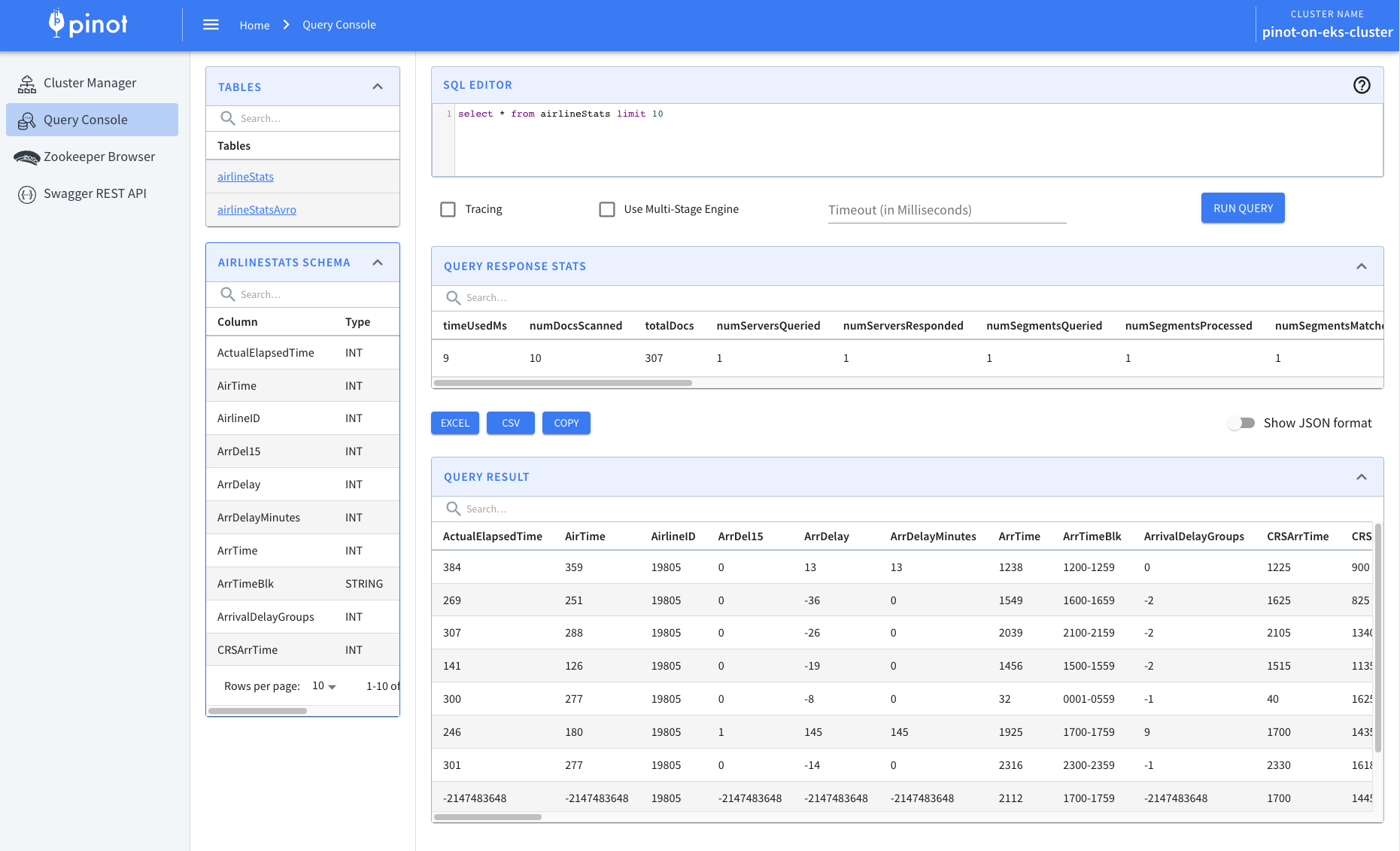
Navigate back to the Pinot Query Console and verify the tables are created and receiving data:
kubectl port-forward service/pinot-controller 9000:9000 -n pinot
Open http://localhost:9000 in your browser. You should see the newly created tables with data being ingested in real-time.
Verify S3 DeepStore Uploads
Segments are uploaded to S3 when they complete based on:
- Time threshold: 300000ms (5 minutes) - segments flush after 5 minutes
- Size threshold: 50000 rows - segments flush when reaching 50k rows
Check if segments exist in S3:
# Get the bucket name
BUCKET_NAME=$(terraform -chdir=../../infra/terraform/_local output -raw data_bucket_id)

# List segments in S3
aws s3 ls s3://$BUCKET_NAME/pinot/segments/ --recursive
You should see segment files like:
pinot/segments/airlineStats/airlineStats__0__0__20260123T0054Z.tmp.030c94c8-19d7-4cc0-89bd-86c41c7e9b7c
pinot/segments/airlineStats/airlineStats__0__0__20260123T0054Z.tmp.04a4b92b-1293-4462-8e22-08207dc621e4
To force segment completion for testing (optional):
# Force commit to seal current consuming segments
curl -X POST http://localhost:9000/tables/airlineStats_REALTIME/forceCommit
curl -X POST http://localhost:9000/tables/airlineStatsAvro_REALTIME/forceCommit
Check server logs for upload activity:
kubectl logs -n pinot pinot-server-0 | grep -i "upload\|deepstore\|s3"