Orchestrated by EKS
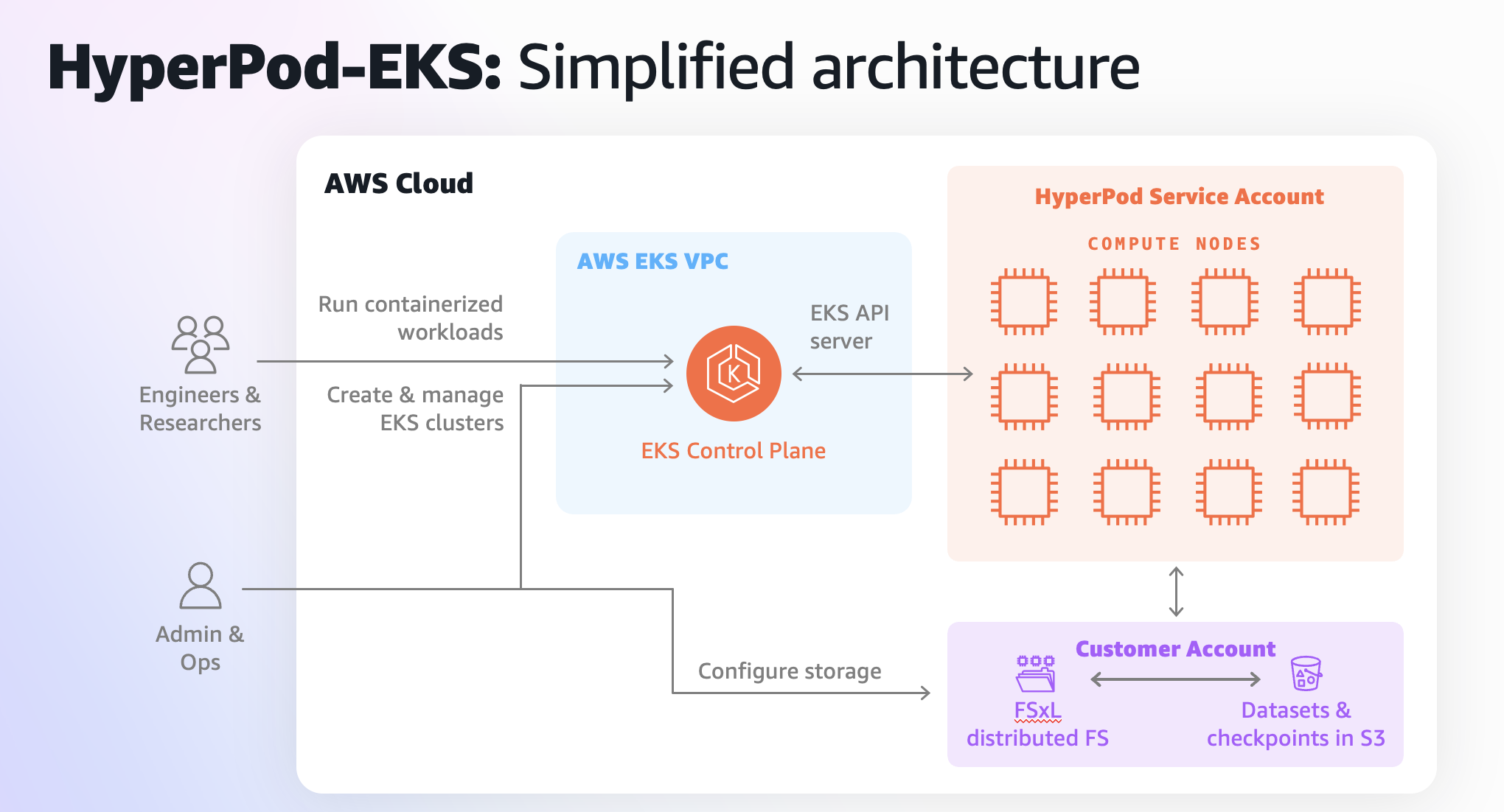
High-level HyperPod on EKS architecture
Creating your SageMaker HyperPod cluster
Initial cluster setup
Reviewing the cluster console
Now that we've created a cluster, we can monitor the status in the SageMaker console, this will show us cluster status, running instances, node groups, and allow us to easy modify the cluster.
SageMaker Studio Integration
This guide provides step-by-step instructions for setting up Amazon SageMaker Studio with Hyperpod on Amazon EKS, including FSx Lustre storage configuration.
Verifying cluster connection to EKS
Source HyperPod Environment Variables
Additional Information
Amazon SageMaker HyperPod EKS Official Documentation
Set up your shared file system
Why Shared File Systems Matter
Adding a Data Repository Association
Amazon S3 Data Repository Association
Set up an Amazon S3 mountpoint
With the Mountpoint for Amazon S3 Container Storage Interface (CSI) driver, your Kubernetes applications can access Amazon S3 objects through a file system interface, achieving high aggregate throughput without changing any application code. Built on Mountpoint for Amazon S3, the CSI driver presents an Amazon S3 bucket as a volume that can be accessed by containers in Amazon EKS and self-managed Kubernetes clusters. This section shows you how to deploy the Mountpoint for Amazon S3 CSI driver to your Amazon EKS cluster.