Orchestrated by SLURM
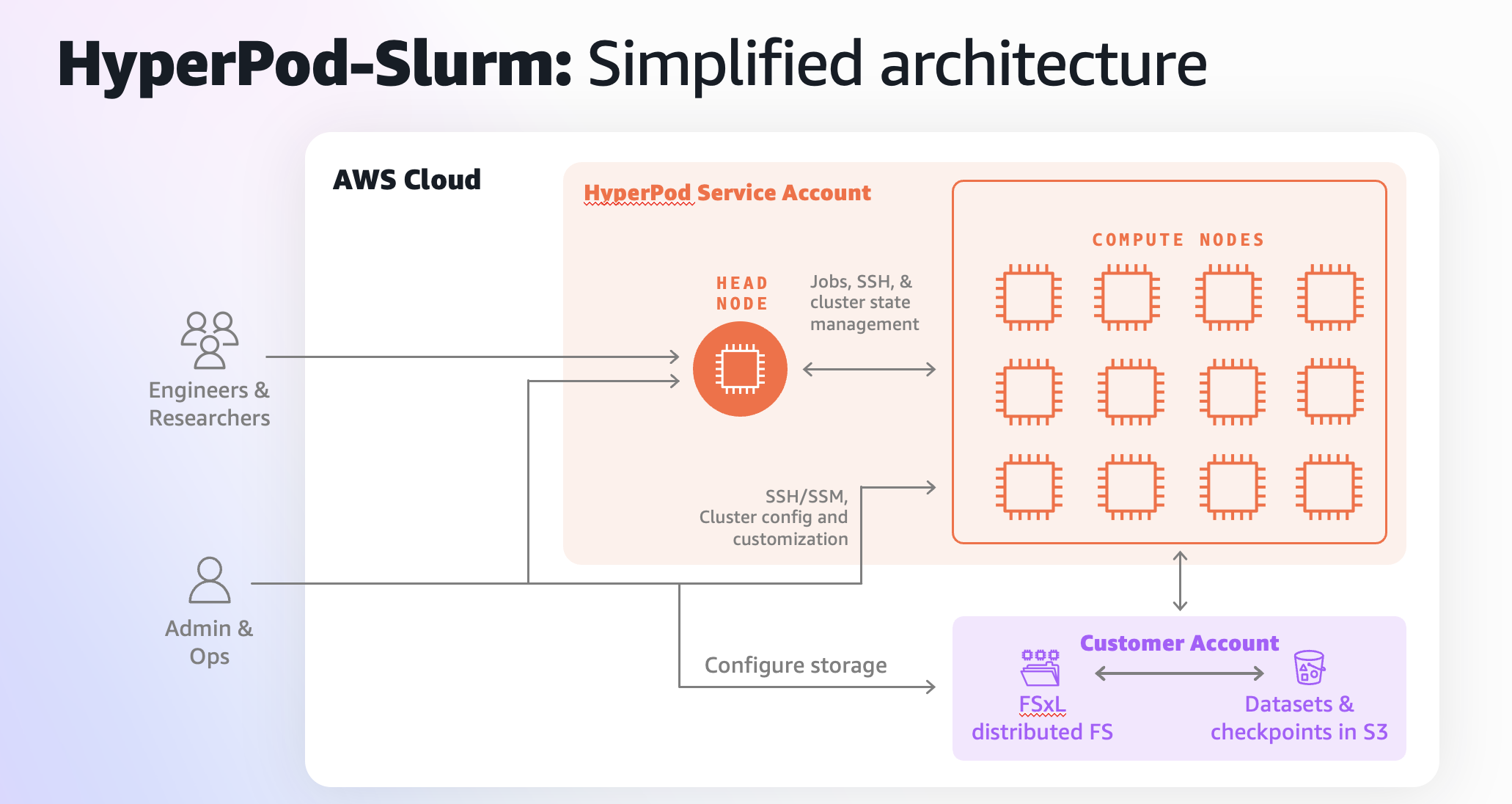
High-level HyperPod on SLURM architecture
Creating your SageMaker HyperPod cluster
Initial cluster setup
View the AWS Console
Now that we've created a cluster, we can monitor the status in the SageMaker console, this will show us cluster status, running instances, node groups, and allow us to easy modify the cluster.
Set up your shared file system
Why Shared File Systems Matter
SageMaker Studio Integration
This guide provides step-by-step instructions for setting up Amazon SageMaker Studio with Amazon SageMaker Hyperpod SLURM, including FSx Lustre storage configuration.
SSH Into Your HyperPod Cluster
Overview
Basic Slurm Commands
Now that you've created and set up the cluster, you will go through some of the commands you'll use to run Llama7b on the cluster.