Image Pyramids
Satellite and aerial imagery routinely exceeds tens of thousands of pixels on each axis. Displaying, analyzing, or serving such images at interactive speeds requires multi-resolution access — the ability to retrieve a coarser version of the data without decoding the entire full-resolution file.
An image pyramid stores the same image at progressively halved resolutions. Level 0 (R0) is the original full-resolution data; level 1 is half the size on each axis; level 2 is a quarter, and so on. This structure enables:
Constant-time zoom — a viewer requests the level whose resolution best matches the current viewport, avoiding expensive decode of full-resolution tiles that would only be downsampled for display.
Tile serving — web servers often require pre-tiled pyramids to deliver 256x256 or 512x512 PNG/JPEG tiles at arbitrary zoom levels without server-side resampling.
Efficient downsampled reads — ML pipelines and statistics computations can read a coarse level to survey the image quickly, then target full-resolution reads only where needed.
Bounded memory — tiles at any level have fixed dimensions, so processing pipelines can work block-by-block with predictable memory regardless of total image size.
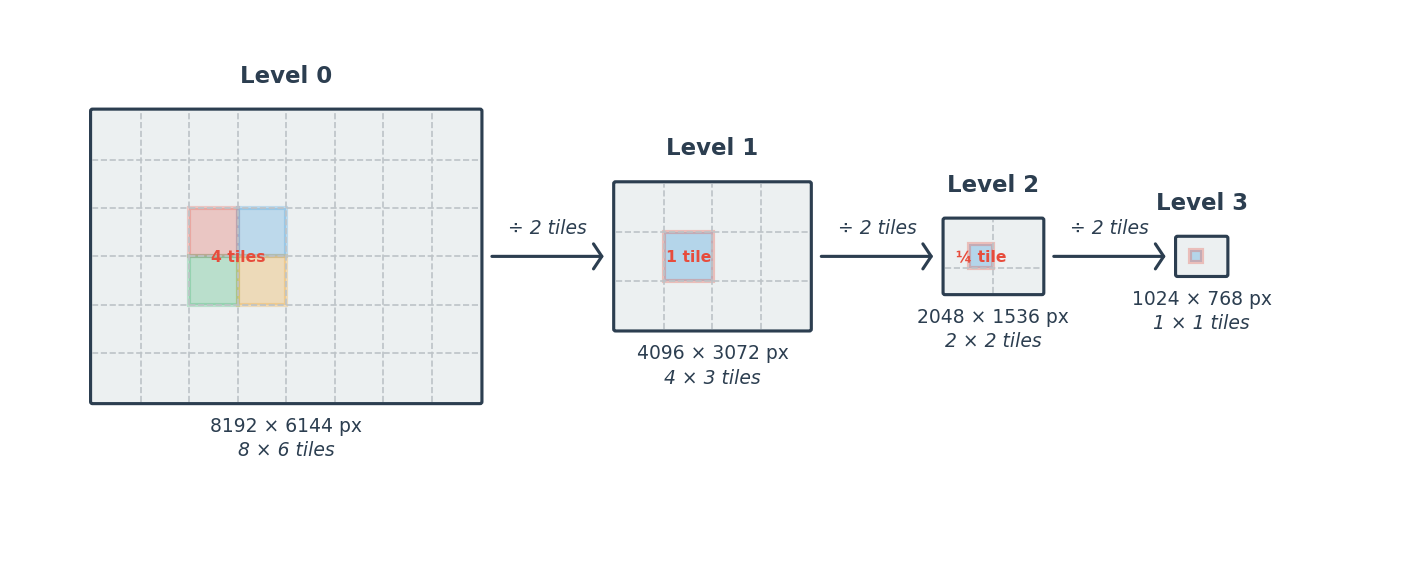
An image pyramid with levels 0 through N. Each level halves the
dimensions of the previous one. The get_block(row, col) call
addresses individual tiles within the grid at any level.
Multi-Resolution Encoding Formats
The multi-resolution pyramid is a universal concept in geospatial imagery, but different file formats encode it differently:
Cloud Optimized GeoTIFF (COG) : A COG stores pre-computed overviews as additional IFDs (Image File Directories) within a single TIFF file. Each overview is an explicit downsampled copy of the full-resolution data at ½, ¼, ⅛ scale, and so on. What makes it “cloud optimized” is the byte-level organization: metadata and tile offsets are placed at the start of the file, tiles are arranged in predictable spatial order, and overview IFDs appear before full-resolution data. This layout allows a client to discover the tile index with a single HTTP range request and then fetch individual tiles with targeted range reads — no full file download required.
NITF R-Sets
: The NITF standard stores each overview level as a separate image —
either as sidecar files alongside the base image (.r1, .r2,
etc.) or as additional image segments within a single NITF
container. Each level is a standalone NITF image with its own
subheader and can use different compression settings. Resampling
conventions follow NGA.STND.0014.
JPEG 2000 Resolution Levels : JPEG 2000’s discrete wavelet transform (DWT) inherently produces a multi-resolution structure during encoding. Each decomposition level splits the image into low-pass (LL) and high-pass (LH, HL, HH) subbands — the LL subband at level k is a ½ᵏ-scale representation of the original image. A codestream with N decomposition levels therefore contains N+1 resolution levels accessible without separate overview files. Decoders can read only the packets for coarser subbands to retrieve a lower-resolution image, making J2K resolution-progressive by construction. This eliminates the storage overhead of explicit overviews but requires a wavelet-aware decoder.
These are three encoding strategies for the same concept. The toolkit
can read native resolution levels from all three via
TiledImagePyramid.from_dataset(), and can write COG and NITF R-Set
pyramids via PyramidBuilder.
Choosing a Workflow
Scenario |
Recommended Approach |
|---|---|
Generate a COG or NITF R-Set file with all overviews |
|
Build overviews in memory for further processing |
|
Read overviews from an existing COG, NITF R-Set, or J2K file |
|
On-demand tiles at a specific resolution (no file write) |
|
Writing a COG with Overviews
from aws.osml.io import IO
from aws.osml.image_processing import PyramidBuilder

with IO.open("source.tif", "r") as reader:
    source = reader.get_asset("image:0")

    builder = PyramidBuilder(source, min_size=256)

    with IO.open("output.tif", "w", "geotiff") as writer:
        builder.build_and_write(writer, base_key="image:0")
Writing a NITF R-Set
NITF R-Sets store each overview level as a sidecar file (.r1, .r2,
etc.) alongside the base image:
from aws.osml.io import IO, BufferedMetadataProvider
from aws.osml.image_processing import PyramidBuilder

with IO.open("source.ntf", "r") as reader:
    source = reader.get_asset("image:0")

    builder = PyramidBuilder(source, min_size=256)

    num_overviews = len(builder._levels) - 1
    paths = ["source.ntf"] + [f"source.ntf.r{i}" for i in range(1, num_overviews + 1)]

    def nitf_metadata(level_index):
        md = BufferedMetadataProvider()
        md.set("IC", "NC")
        md.set("IMODE", "B")
        return md

    with IO.open(paths, "w", "nitf") as writer:
        builder.build_and_write(
            writer,
            base_key="image:0",
            image_metadata_fn=nitf_metadata,
        )
PyramidBuilder Parameters
Parameter |
Default |
Description |
|---|---|---|
|
– |
The full-resolution |
|
|
Stop generating levels when either dimension drops below this value |
|
|
Per-level reduction factor (only |
|
Source tile width |
Tile width for overview levels |
|
Source tile height |
Tile height for overview levels |
|
|
Resampling function applied to each 2x2 tile group |
|
|
Background threads for prefetch + writeback; |
|
|
Use native reduced-resolution reads when available (e.g. J2K) |
|
|
Optional |
Note
When use_native_levels=True and the source is a JPEG 2000 image, the
builder reads reduced-resolution tiles directly from the codestream’s
wavelet decomposition rather than decoding full-resolution pixels and
downsampling in software. This avoids redundant computation and is
significantly faster for large J2K files. The resulting overview pixels
will differ slightly from those produced by the software resampler
(e.g. sips_rrds_resample) because J2K’s inverse DWT uses different
filter coefficients. Set use_native_levels=False if strict resampler
consistency across all source formats is required.
Progress Reporting
from aws.osml.image_processing import PyramidBuilder, ProgressCallback

def my_progress(completed: int, total: int, level: int) -> None:
    pct = 100.0 * completed / total
    print(f"\r  [{pct:5.1f}%] {completed}/{total} tiles (level {level})", end="", flush=True)
    if completed == total:
        print()

builder = PyramidBuilder(source, progress=my_progress)
builder.build()
The callback fires once per source tile consumed. It can also be set
after construction via builder.progress = my_progress.
Reading Existing Pyramids
from aws.osml.io import IO
from aws.osml.image_processing import TiledImagePyramid

with IO.open("cog_with_overviews.tif", "r") as reader:
    pyramid = TiledImagePyramid.from_dataset(reader, "image:0")

    print(f"Levels: {pyramid.num_levels}")
    for i in range(pyramid.num_levels):
        bands, rows, cols = pyramid.image_shape_at_level(i)
        print(f"  Level {i}: {rows} x {cols} x {bands} bands")
Selecting a Level for a Target Resolution
level_index = pyramid.best_level_for(src_size=(2048, 2048), output_size=(512, 512))
overview = pyramid.get_level(level_index)
block = overview.get_block(0, 0)
Lazy Pyramids
build_pyramid_levels constructs a chain of DownsampledImageProvider
providers that compute tiles on demand — no file is written:
from aws.osml.image_processing import TileCache, build_pyramid_levels

cache = TileCache(max_bytes=256 * 1024**2)
levels = build_pyramid_levels(
    source,
    tile_width=1024,
    tile_height=1024,
    cache=cache,
    min_size=256,
)

# Only the necessary source tiles are decoded and resampled
tile = levels[2].get_block(0, 0)
This is useful when you need multi-resolution access without the I/O cost of writing a full pyramid to disk — for example, computing statistics at a coarse level or feeding an on-demand tile server.
Resampling Methods
Every pyramid operation accepts a resample_func argument:
Resampler |
Quality |
Speed |
Use Case |
|---|---|---|---|
|
Highest (SIPS-compliant) |
Slowest |
Defense/intelligence workflows requiring NGA.STND.0014 compliance |
|
High |
Moderate |
General-purpose high-quality downsampling |
|
Good |
Fast |
Recommended for visualization-only pipelines |
|
Moderate |
Fast |
Simple interpolation |
|
Lowest |
Fastest |
Speed-critical paths where quality is secondary |
The default is sips_rrds_resample (7x7 anti-alias filter + 4x4
LaGrange interpolation per NGA.STND.0014 v2.4 Section 2.2).
Comparison
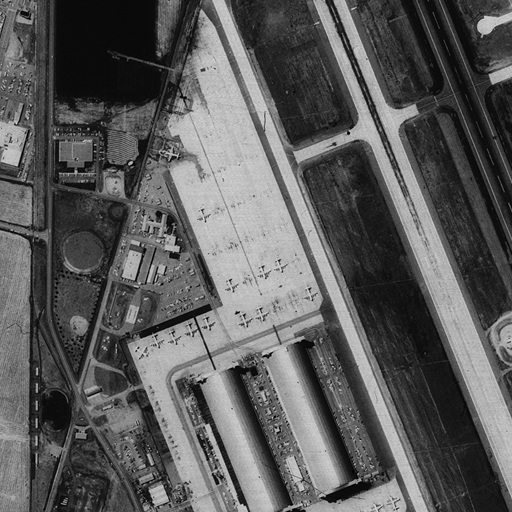
Source region (R0) used for the resampling comparison below.
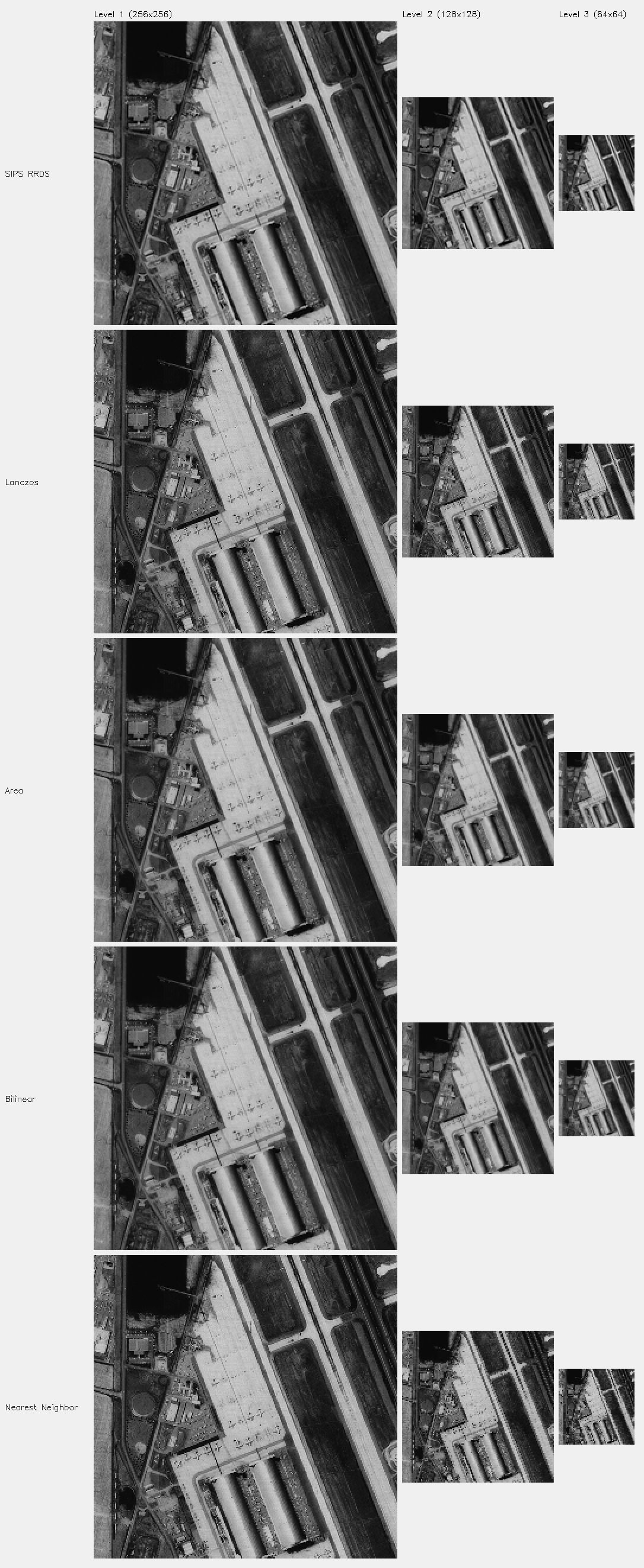
Each row shows a different resampling method applied to the source above, at progressively reduced resolution levels.