Partner Integrations
VAMS integrates with a range of open-source projects and licensed commercial solutions for 3D visualization, asset processing, data synchronization, and simulation. This page provides a reference of all significant integrations, their purpose, and how they connect to VAMS.
Open-Source Integrations
The following open-source projects are integrated into VAMS as viewer plugins, processing pipelines, or utility components.
3D Viewers
| Integration | Purpose | License | VAMS Component |
|---|---|---|---|
| Online 3D Viewer | Web viewer for Rhinoceros 3D, AMF, BIM, OFF, VRML formats | MIT | Viewer plugin (online3d-viewer) |
| CesiumJS | Geospatial 3D tileset viewer with streaming support | Apache-2.0 | Viewer plugin (cesium-viewer) |
| Potree | Point cloud viewer for E57, LAS, LAZ formats | BSD-2-Clause | Viewer plugin (potree-viewer) + processing pipeline |
| BabylonJS | Gaussian splat viewer for PLY and SPZ files | Apache-2.0 | Viewer plugin (gaussian-splat-viewer-babylonjs) |
| PlayCanvas | Gaussian splat viewer for PLY and SOG files | MIT | Viewer plugin (gaussian-splat-viewer-playcanvas) |
| Needle Engine | USD format WASM viewer for .usd, .usda, .usdc, .usdz | Apache-2.0 (Modified) | Viewer plugin (needletools-usd-viewer) |
| Three.js | General-purpose 3D viewer for mesh and optional CAD formats | MIT | Viewer plugin (threejs-viewer) |
Processing Pipelines
| Integration | Purpose | License | VAMS Component |
|---|---|---|---|
| Trimesh | 3D mesh conversion and metadata extraction | MIT | 3D Basic Conversion pipeline, CAD/Mesh Metadata Extraction pipeline |
| CadQuery | Open-standard CAD conversion and metadata extraction | Apache-2.0 / LGPL-2.1 | CAD/Mesh Metadata Extraction pipeline, 3D Thumbnail pipeline |
| Blender | Preview file generation and metadata generation | GNU GPLv3 | GenAI Metadata 3D Labeling pipeline |
| 3D Reconstruction Toolkit | Gaussian splat generation from media files | MIT | Gaussian Splat Toolbox pipeline |
| NVIDIA Isaac Lab | Reinforcement learning training and evaluation | Apache-2.0 | Isaac Lab Training pipeline |
The Isaac Lab Training pipeline uses NVIDIA Isaac Sim container images, which are subject to the NVIDIA Software License Agreement. You must set acceptNvidiaEula: true in the configuration to deploy this pipeline.
Data Synchronization
| Integration | Purpose | License | VAMS Component |
|---|---|---|---|
| Garnet Framework | Push VAMS data changes to an external NGSI-LD knowledge graph | MIT-0 | Addon (useGarnetFramework) |
| Physna | One-way sync of supported 3D/CAD files and metadata to a Physna tenant for geometric search | Commercial (Physna tenant required) | Addon (usePhysnaSync) |
The Garnet Framework integration allows VAMS to synchronize database, asset, and file changes to a Garnet Framework deployment in the same AWS account. This enables building knowledge graph representations of your visual asset data. Configuration requires the Amazon SQS ingestion queue URL. The Garnet API endpoint and API token fields must also be set, although the add-on does not use them (see Garnet Framework configuration).
What gets indexed
When Garnet Framework integration is enabled, VAMS automatically creates and maintains NGSI-LD entities for:
- Databases -- Complete database records including bucket associations and custom metadata.
- Assets -- Full asset information including relationships, versions, and custom metadata.
- Asset Links -- Relationship entities connecting assets (parent-child, related) with metadata.
- Files -- Individual file entities with Amazon S3 information, attributes, and custom metadata.
NGSI-LD entity types
VAMS creates the following NGSI-LD entity types in the Garnet Framework:
| Entity Type | URN Format | Description |
|---|---|---|
VAMSDatabase | urn:vams:database:{databaseId} | Database entities with bucket associations |
VAMSAsset | urn:vams:asset:{databaseId}:{assetId} | Asset entities with full metadata |
VAMSAssetLink | urn:vams:assetlink:{assetLinkId} | Asset relationship entities |
VAMSFile | urn:vams:file:{databaseId}:{assetId}:{encodedFilePath} | File entities with Amazon S3 details |
Event flow
Data changes flow through the following architecture:
- Amazon DynamoDB Streams to Amazon SNS topics to Amazon SQS queues to Garnet indexer Lambda functions.
- Amazon S3 event notifications to Amazon SNS topics to Amazon SQS queues to the Garnet file indexer Lambda function.
- Garnet indexer Lambda functions convert data to NGSI-LD format and send to the external Garnet ingestion Amazon SQS queue.
VAMS maintains bidirectional relationships between entities and includes all custom metadata fields as NGSI-LD properties. When data is created or updated in VAMS, the corresponding NGSI-LD entity is automatically synchronized; deletions are not propagated (see Garnet Framework limitations).
If you enable Garnet Framework integration on an existing VAMS deployment, use the reindex utility in the migration scripts (without clearing Amazon OpenSearch indexes) to publish existing assets and files to the Garnet Framework through the global notification queues. Existing databases and asset links are not reindexed; each reaches the Garnet Framework on its next change. See Reindexing Existing Data.
Physna Sync
The Physna Sync add-on performs a one-way synchronization of supported VAMS files, file attributes, file metadata, and asset metadata into a Physna tenant. It is intended for customers who want Physna's geometric and semantic 3D search to index their VAMS asset corpus.
Phase 1 implements VAMS-to-Physna sync only. Future phases will add bidirectional sync and additional in-VAMS UI surfaces.
The Physna add-on also includes a Physna Viewer plugin that embeds the Physna-hosted 3D/CAD viewer directly inside VAMS for files that have been synced. A VAMS-authorized endpoint applies both authorization tiers and returns a Physna viewer token to the browser, which loads the viewer directly from Physna; the Physna client credentials stay in AWS Secrets Manager and are never sent to the browser. That token carries no asset scope, so Physna-hosted viewer access is flat across every synced database — see Physna Viewer in the developer guide for the limitation and its side effects.
What gets synchronized
When the Physna Sync add-on is enabled:
- Files -- Files whose extensions match Physna's supported set are uploaded on creation and removed on deletion.
- File metadata -- Custom metadata and attributes attached to each file are sent alongside the upload and patched on subsequent metadata changes.
- Asset metadata -- Asset-level metadata changes trigger a re-sync of metadata on every Physna asset under the VAMS asset's folder. Physna assets that no longer correspond to a VAMS file are removed.
Supported file types
VAMS uploads 3D/CAD geometry formats, documents (txt, pdf), and images (gif, jpeg, jpg, png) to Physna for indexing and search. Files outside the supported set are silently skipped. The embedded Physna Viewer renders only the 3D/CAD geometry formats — documents and images are synced for search but shown through VAMS's own viewers. See Physna Integration for the full extension lists.
Event flow
- Amazon S3 event notifications for asset file uploads and deletions flow through Amazon SNS to a dedicated Amazon SQS queue consumed by the
physnaFileSyncAmazon Lambda function. - Amazon DynamoDB Streams on file metadata, file attribute, and asset metadata tables flow through Amazon SNS to the
physnaFileSyncandphysnaAssetSyncqueues. - Each Lambda authenticates against Physna using OAuth2 client credentials stored in AWS Secrets Manager and calls the Physna API to create, update, or delete assets and their metadata.
See Physna Integration for configuration, architecture diagrams, metadata precedence rules, and troubleshooting guidance.
Licensed Commercial Integrations
The following integrations require separate commercial licenses from their respective vendors.
| Integration | Purpose | License Type | VAMS Component |
|---|---|---|---|
| RapidPipeline | Spatial data conversions and optimizations | Commercial (AWS Marketplace) | Processing pipeline (useRapidPipeline) |
| VNTANA | 3D ModelOps: conversions, optimizations, and web viewing | Commercial (AWS Marketplace) | Viewer plugin (vntana-viewer) + Processing pipeline (useModelOps) |
| Veerum | Advanced 3D viewer for point clouds and 3D tilesets | Commercial | Viewer plugin (veerum-viewer) |
Enabling Licensed Integrations
RapidPipeline
RapidPipeline provides two deployment options in VAMS: Amazon ECS and Amazon EKS.
- Subscribe to the RapidPipeline 3D Processor on the AWS Marketplace.
- Set the container image URI in
app.pipelines.useRapidPipeline.useEcs.ecrContainerImageURIorapp.pipelines.useRapidPipeline.useEks.ecrContainerImageURI. - Enable the pipeline with
enabled: true. - Redeploy the stack. The pipeline requires a VPC with public/private subnets for internet access to the AWS Marketplace.
VNTANA
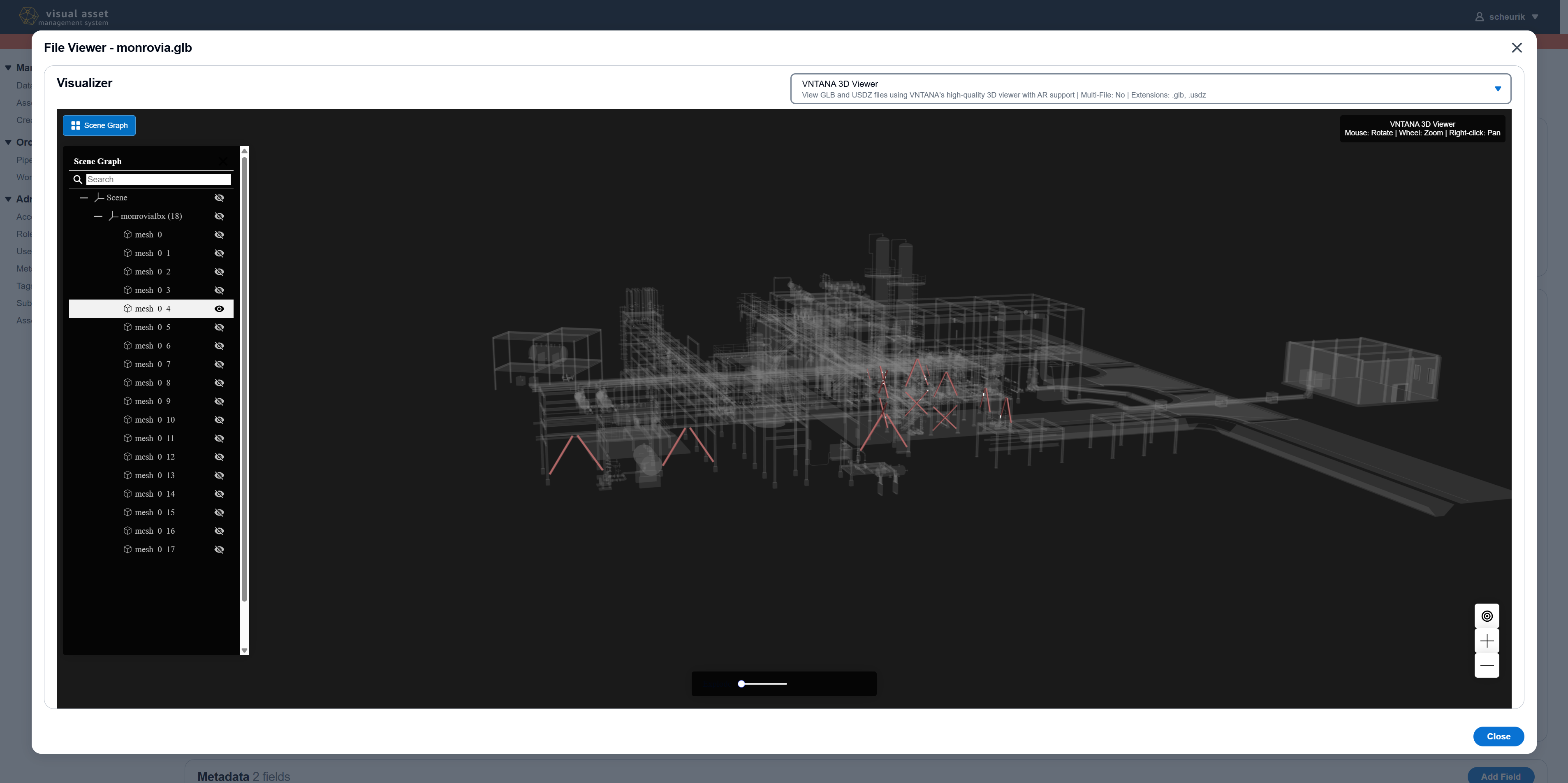
VNTANA provides both a viewer plugin and a processing pipeline (ModelOps).
- Subscribe to the VNTANA 3D Optimization Engine on the AWS Marketplace.
- For the processing pipeline, set the container image URI in
app.pipelines.useModelOps.ecrContainerImageURIand enable withenabled: true. - For the viewer plugin, enable it in
web/src/visualizerPlugin/config/viewerConfig.jsonby setting"enabled": trueon thevntana-viewerentry. - Redeploy the stack.
Veerum
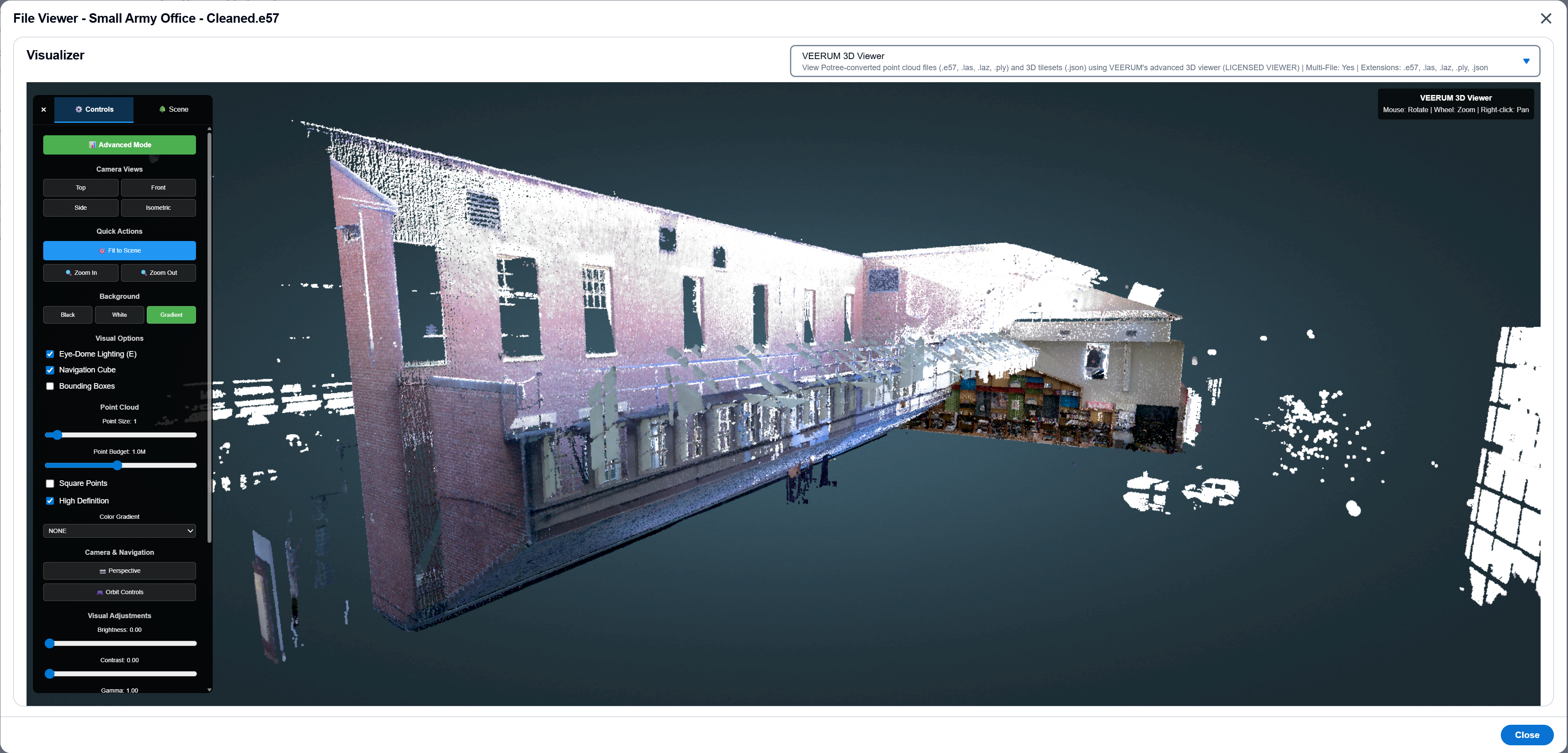
The Veerum 3D Viewer provides advanced visualization for point cloud and 3D tileset files.
- Contact Veerum to obtain a license.
- Enable the viewer in
web/src/visualizerPlugin/config/viewerConfig.jsonby setting"enabled": trueon theveerum-viewerentry. - The Veerum Viewer requires the Potree Auto-Processing pipeline to be enabled for point cloud file loading.
- Rebuild and redeploy the web application.
Integration Architecture
The following diagram illustrates how integrations connect to VAMS components:
VAMS Web Application
  |-- Viewer Plugins (Online 3D Viewer, CesiumJS, Potree, BabylonJS,
  |                    PlayCanvas, Needle Engine, Three.js, VNTANA, Veerum)
  |
VAMS Backend
  |-- Processing Pipelines
  |     |-- AWS Batch (Fargate): Trimesh, CadQuery, Blender, 3D Recon Toolkit
  |     |-- AWS Batch (GPU): NVIDIA Isaac Lab
  |     |-- Amazon ECS: RapidPipeline, VNTANA ModelOps
  |     |-- Amazon EKS: RapidPipeline (EKS option)
  |
  |-- Addons
        |-- Amazon SQS --> Garnet Framework (Knowledge Graph)
        |-- Amazon SQS --> Physna Sync (Geometric 3D Search)
All pipeline integrations are optional and disabled by default. Enable only the integrations you need to minimize deployment complexity and cost. See the Configuration Guide for pipeline configuration details.