How to access Engineering Development Hub
Info
Backend storage on Engineering Development Hub is persistent. You will have access to the same filesystem ($HOME, /data and /apps) whether you access your cluster using the Web Terminal, SSH, Web Remote Desktop or Native Remote Desktop
Access the cluster via a shell
Web Terminal (no setup)
The Web Terminal tab gives you a full shell on the cluster directly in your browser. There is nothing to download and no SSH key to manage, and your session stays alive even if you close the tab. This is the quickest way to get a prompt on the cluster.
Learn more about the Web Terminal.
SSH from your own computer
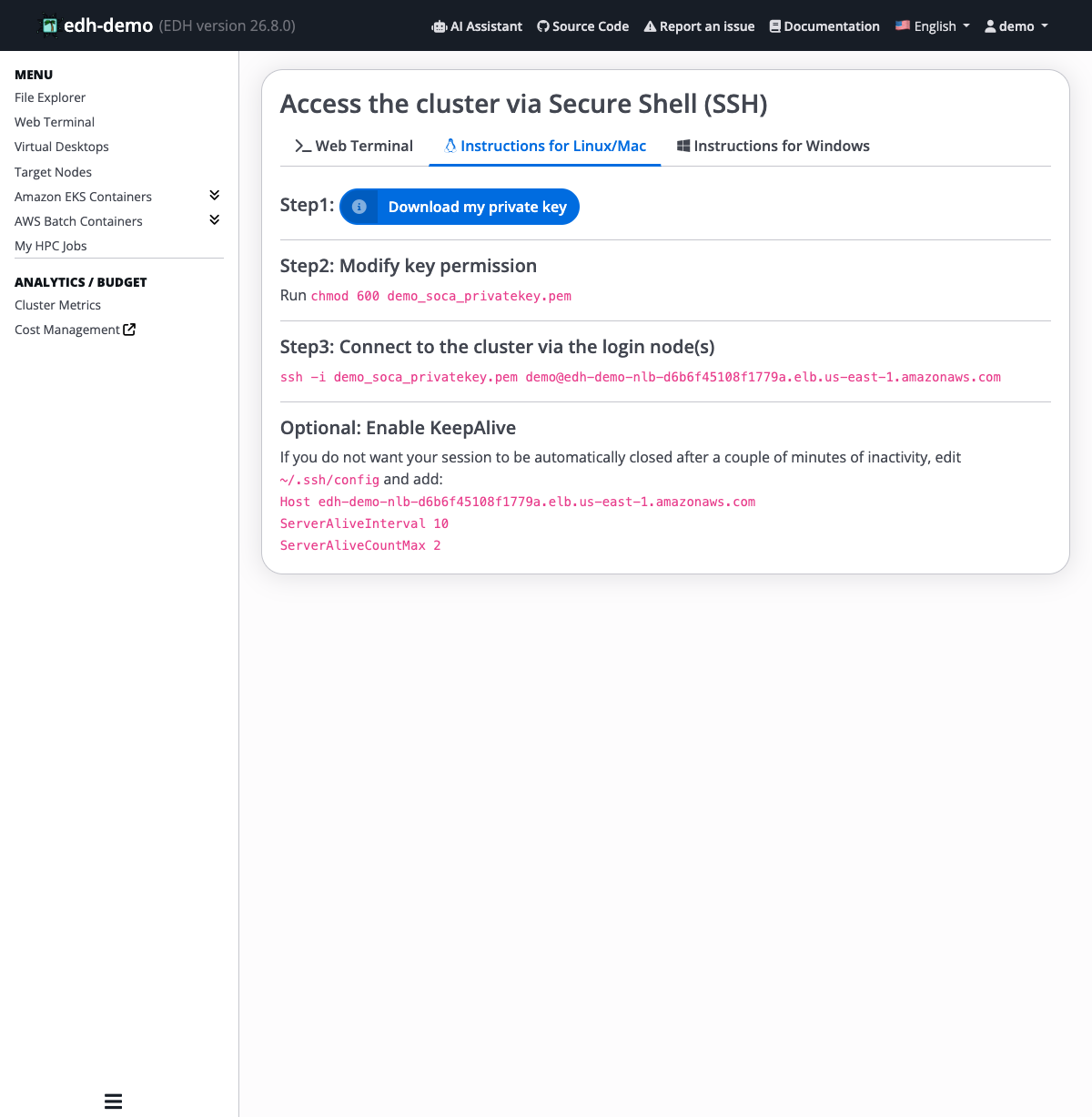
Click Web Terminal in the left sidebar, then open the SSH access tab. This brings you to the shell access page, where you can pick the option that suits you:
- Download your private key. EDH lets you download it in PEM or PPK format.
- Set the key permissions (Linux/Mac) as shown on the page.
- Connect using the ready-to-copy
sshcommand, which already includes your username and the cluster address.
SSH access goes through a pool of login nodes. Administrators can adjust how many login nodes are running to match user demand.
Keep your session alive
The page also shows an optional step to enable KeepAlive so your session is not closed after a few minutes of inactivity.
Graphical access using Windows/Linux virtual desktop
HTTP Rest API
Refer to this page to learn how to interact with your EDH cluster using EDH APIs. Other APIs doc can be found on the Swagger portal in your EDH Web endpoint