Feature in preview
Feature is currently in preview and must be enabled via Feature Flags on any EDH cluster newer than 26.4.0. Preview features are still experimental and we don't recommend to use them for any production workloads.
Edit cluster_manager/web_interface/feature_flags.py:
 "CONTAINERS_MANAGEMENT_BATCH": {
    "enabled": True, # <--- Switch to True
    "allowed_users": [], # <--- Restrict feature to specific users
    "denied_users": [], # <--- Disable feature for specific users
},
Restart EDH Web UI after updating this key for changes to take effects.
Container Job Submission
Engineering Development Hub provides native integration with AWS container services, allowing users to submit containerized workloads to AWS Batch
AWS Batch environment Onboarding
EDH will deploy a default AWS Batch environment for you to test. Additionally, you can onboard existing AWS Batch environment using custom tags applied to the Batch resources (Job Definitions / Job Queues ...).
| Tag Key | Tag Value |
|---|---|
edh:visibility:<cluster_id> |
true |
You can tag your Batch resources via CLI or via the Batch console.
IAM Permissions
By default, batch: IAM permissions on EDH are scoped down to enforce least-priviledge access. Make sure to update these IAM policy (EDHControllerRole) to allow AWS Batch operations to your Batch environments if you are planning to connect EDH to your existing Batch environment
Container Job Submission
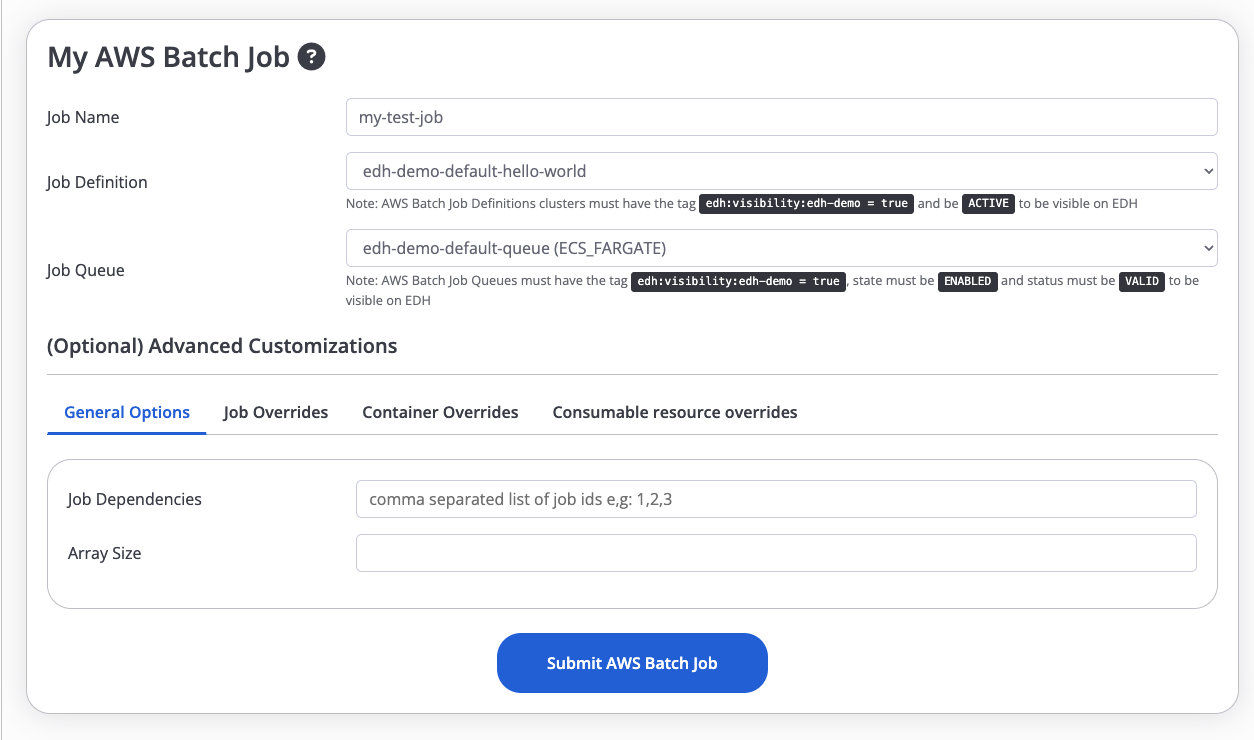
EDH provides a user-friendly web interface for container job submission. Click AWS Batch Containers > Launch Batch Job.
Fill out the form with the following parameters:
- Job Name
- AWS Batch Job Definition
- AWS Batch Job Queue
- (Optional) Job / Container overrides
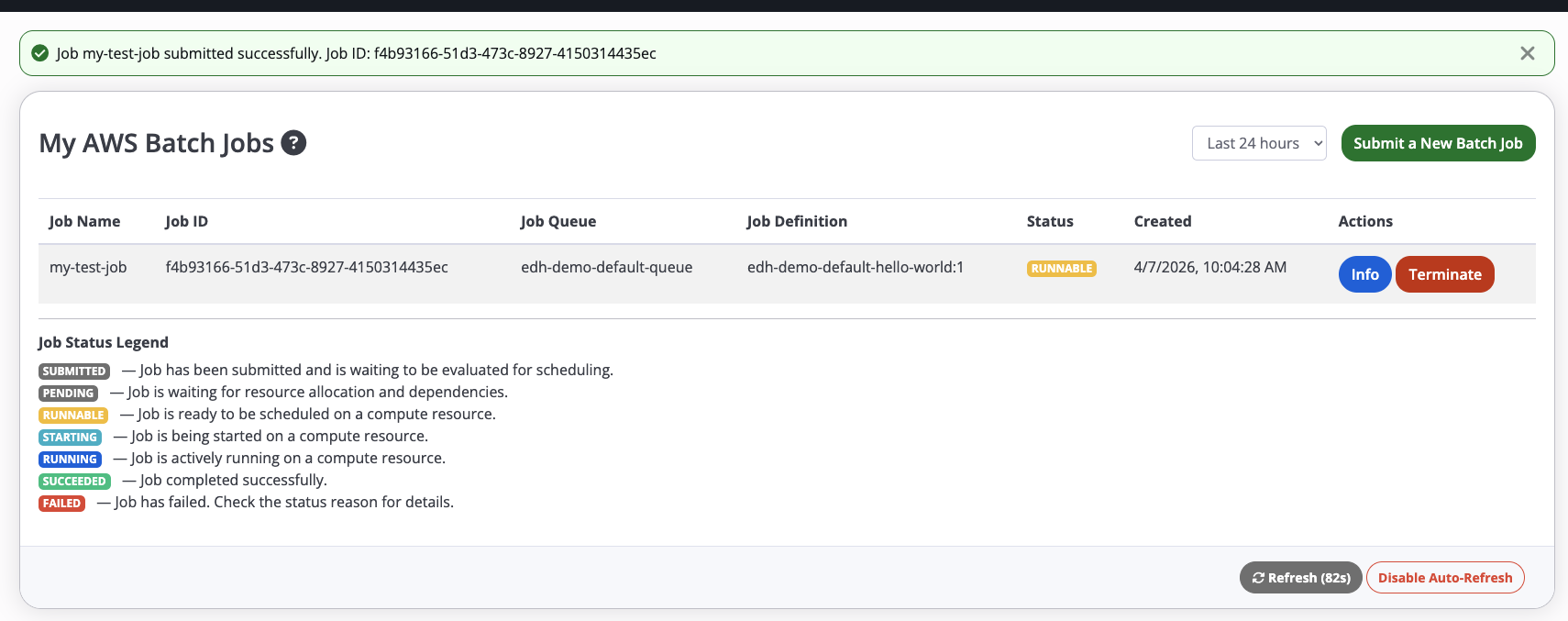
You will be automatically redirected to AWS Batch Containers > My Batch Jobs page, which should list all your AWS Batch jobs:
You can also view your job directly from within the AWS Batch console:

Note: Batch automatically add custom labels containing the EDH cluster ID as well as the job owner
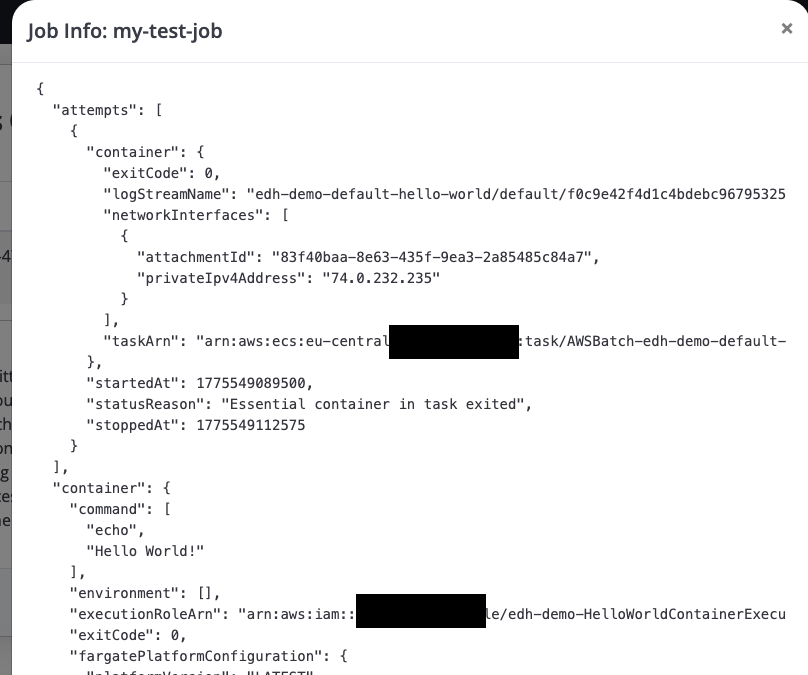
Click Info button to get a JSON output of your jobs metadata:
Delete Job
To delete a job, navigate to AWS Batch Containers > My Batch Jobs page and click Delete button next to the job you want to delete