Cannot log in because the Active Directory service account expired
If you cannot log in to EDH even though you know the password is correct, or you see errors that
contain In order to perform this operation a successful bind must be completed on the
connection, the Active Directory admin service account has most likely been locked. This
happens when the account hits the
42-day maximum password age
policy.
Example error from the logs:
Unable to list software stack for this user because of Unable to retrieve information for user john due to Unable to find user because of Unable to search ou=Users,ou=SOCA-xx,dc=soca-xxx,dc=local with scope 2, filter (&(objectClass=user)(sAMAccountName=john)), attr_list ['sAMAccountName'],
due to {'msgtype': 101, 'msgid': 2, 'result': 1, 'desc': 'Operations error', 'ctrls': [], 'info': '000004DC: LdapErr: DSID-0C090D5A, comment: In order to perform this operation a successful bind must be completed on the connection., data 0, v4563'}
(Request ID: 45df348b-afa8-4a42-8410-e1c800daeed7)
Re-enable the account
The easiest fix for an AWS Directory Service Managed AD service account is to re-enable the
Admin account from the AWS Console.
First, open AWS Secrets Manager and retrieve the password of the
UserDirectoryServiceAccount for your environment:
{   "password":"PaSSwOrD123@",
    "username":"Admin@edh-demo.local"
}
Then open AWS Directory Service and select the directory for your environment. Enable User and Group Management (red section) so you can see the list of AD users (blue section).
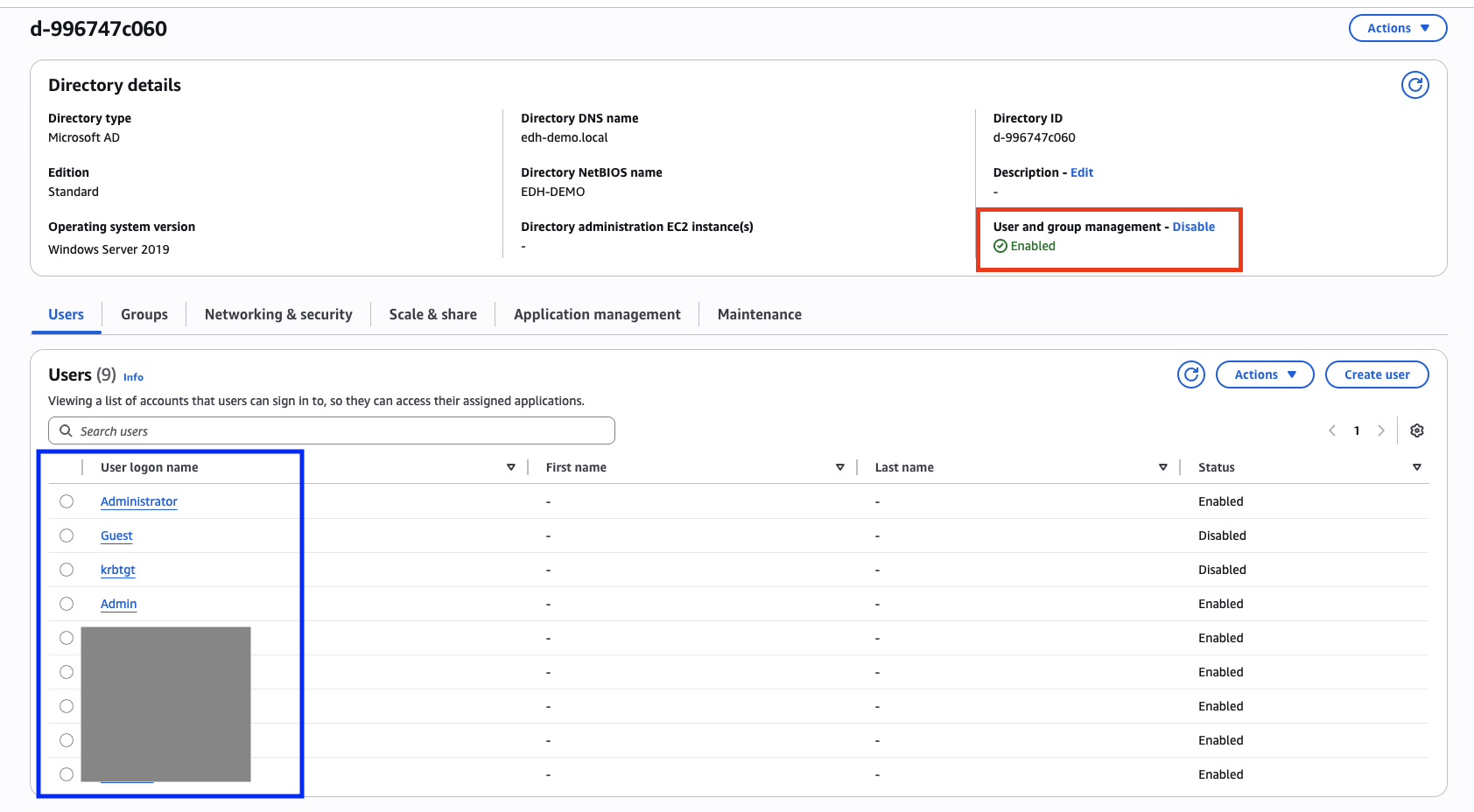
Select the Admin account (not Administrator) and click Actions > Reset password and enable
account. Set the same password you retrieved from Secrets Manager.
Note
To identify your service account user, look at the username entry. For example, if the
username is Admin@edh-demo.local, then your AD service account user is Admin.
This re-enables the Admin account automatically. No EDH reboot is needed, and everything
should start working again immediately.
To avoid the problem in the future, disable the 42-day password expiration for the Admin
account. See
Active Directory 42-day maximum password age.
Warning
If you change the Admin password, update it in Secrets Manager as well as the local cache
value at /apps/soca/<EDH_CLUSTER_ID>/shared/custom_automation/ad_automation/join_domain.cache.