
SQS Trigger
The SQS trigger starts new pipeline executions using Amazon SQS queue(s) as a data source. This can be especially useful when you want to start a pipeline execution based on an event emitted by a third-party system.
💁 The events consumed by the SQS event trigger from the source queue(s) must be valid CloudEvents, otherwise they will be dismissed.
🗳️ Monitoring Queues
Section titled “🗳️ Monitoring Queues”To use this middleware, you have to import it in your CDK stack and specify the SQS queue you want to monitor.
import { SqsEventTrigger } from '@project-lakechain/sqs-event-trigger';import { CacheStorage } from '@project-lakechain/core';
class Stack extends cdk.Stack {  constructor(scope: cdk.Construct, id: string) {    // Sample queue.    const queue = new sqs.Queue(this, 'Queue', {});
    // The cache storage.    const cache = new CacheStorage(this, 'Cache');
    // Create the SQS event trigger.    const trigger = new SqsEventTrigger.Builder()      .withScope(this)      .withIdentifier('Trigger')      .withCacheStorage(cache)      .withQueue(queue)      .build();  }}
You can also pass multiple queues to the SQS event trigger.
const trigger = new SqsEventTrigger.Builder() .withScope(this) .withIdentifier('Trigger') .withCacheStorage(cache) .withQueues([queue1, queue2]) .build();🏗️ Architecture
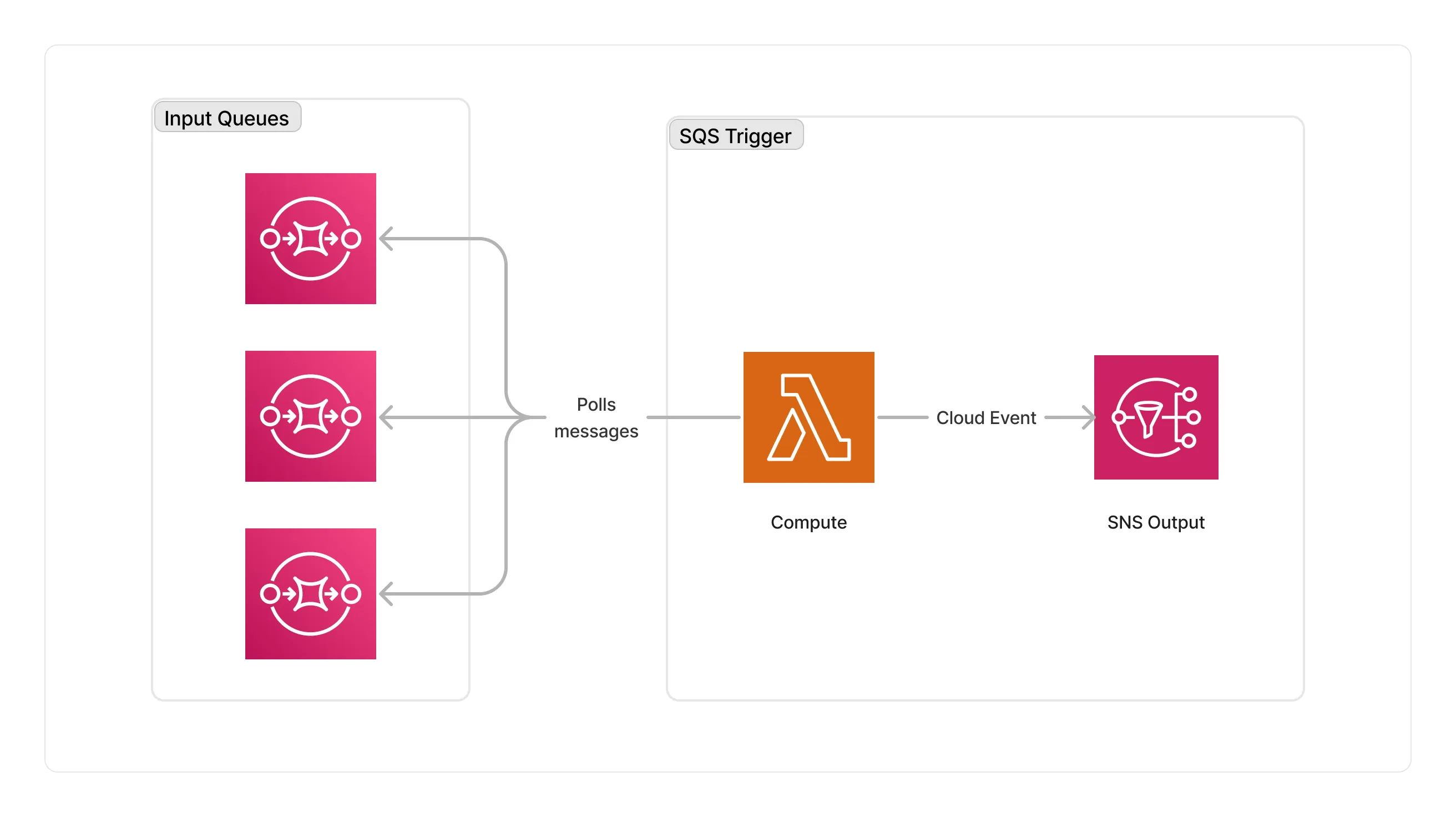
Section titled “🏗️ Architecture”The SQS trigger consumes messages from the monitored SQS queues. Messages are consumed by a Lambda function that checks whether input events are valid CloudEvents, and forwards them to the next middlewares in the pipeline.
🏷️ Properties
Section titled “🏷️ Properties”Supported Inputs
Section titled “Supported Inputs”This middleware does not accept any inputs from other middlewares.
Supported Outputs
Section titled “Supported Outputs”| Mime Type | Description |
|---|---|
*/* |
The SQS event trigger middleware can produce any type of document. |
Supported Compute Types
Section titled “Supported Compute Types”| Type | Description |
|---|---|
CPU |
This middleware is based on a Lambda architecture. |